


Linking to your audiobook should be simple – until Audible sends an international visitor to the wrong marketplace, the homepage, or a listing with no ratings at all.
Narrators: when you want to share links to your Audible titles—whether with potential clients, on social media, or simply as examples of your work, there’s nothing more frustrating than discovering that your carefully chosen link leads here:
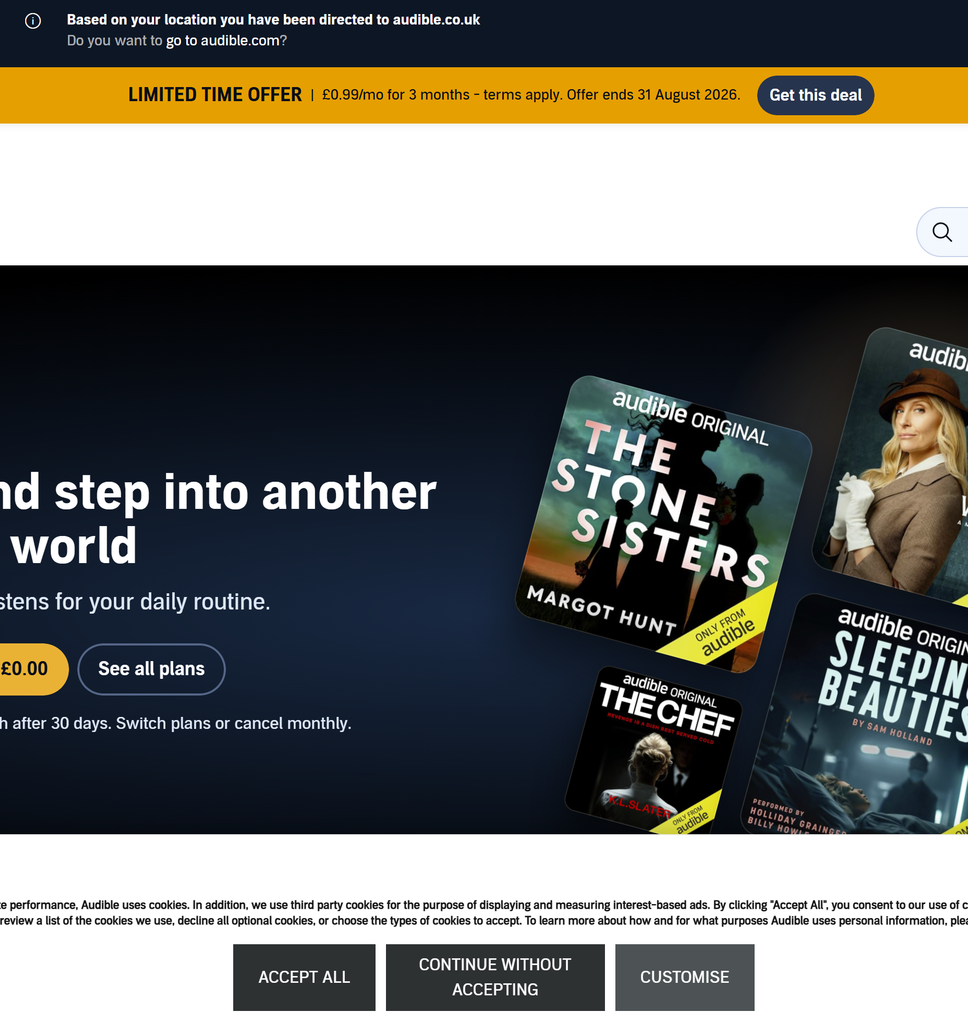
Instead of arriving at the audiobook you intended, your visitor has been bounced to the homepage of their regional Audible marketplace. Somewhere near the top is a small banner asking whether they really wanted to visit Audible.com – but it’s remarkably easy to miss. Even if they notice it, they may have no idea why they need it.
At that point, many visitors will simply assume the link is broken. So, how do we create Audible links that stand a better chance of taking people where we actually intended?
First, clean up the link
When you copy an audiobook address from Audible, you will often get considerably more than the actual product URL. It may look something like this:
https://www.audible.com/pd/Shadowless-Audiobook/B09VCRQ79K?ref_pageloadid=123456789&pf_rd_p=abcdef&pf_rd_r=987654321&plink=example&ref_=adblp13npsbx_1_0
It looks formidable, but the information identifying the audiobook ends here:
https://www.audible.com/pd/Shadowless-Audiobook/B09VCRQ79K
Everything beginning with the question mark consists of additional parameters. These may record where the link was copied from, identify a particular Audible page element, preserve browsing information or support marketing attribution.
For an ordinary product link, most of this can be removed. The clean starting point is therefore:
https://www.audible.com/pd/Shadowless-Audiobook/B09VCRQ79K
Before reaching for the delete key, however, there is one important exception.
One important exception: ACX bounty links
Before removing anything from an Audible URL, make sure that it is not an ACX bounty referral link.
For eligible audiobooks produced through ACX, rights holders and producers may be given unique referral links. If a qualifying new Audible customer follows one of these links and makes the required purchase, the person whose link was used may receive a bounty payment.
In this case, the additional information in the link is not disposable browser clutter: it is what allows ACX to attribute the referral to you.
A bounty link should therefore be copied directly from the completed project in your ACX account and used exactly as supplied. Do not shorten it manually, strip away its tracking information or attempt to reconstruct it from the ordinary Audible product URL.
This leaves us with two different kinds of link for two different purposes:
- Use the ACX bounty link when promoting an eligible audiobook directly to prospective listeners and preserving referral attribution matters.
- Use a clean, marketplace-specific link when presenting professional credits, portfolio examples or an international catalogue where dependable access to the correct listing is the priority.
The rest of this article concerns ordinary Audible product links rather than ACX bounty referral links.
Building a safer Audible link
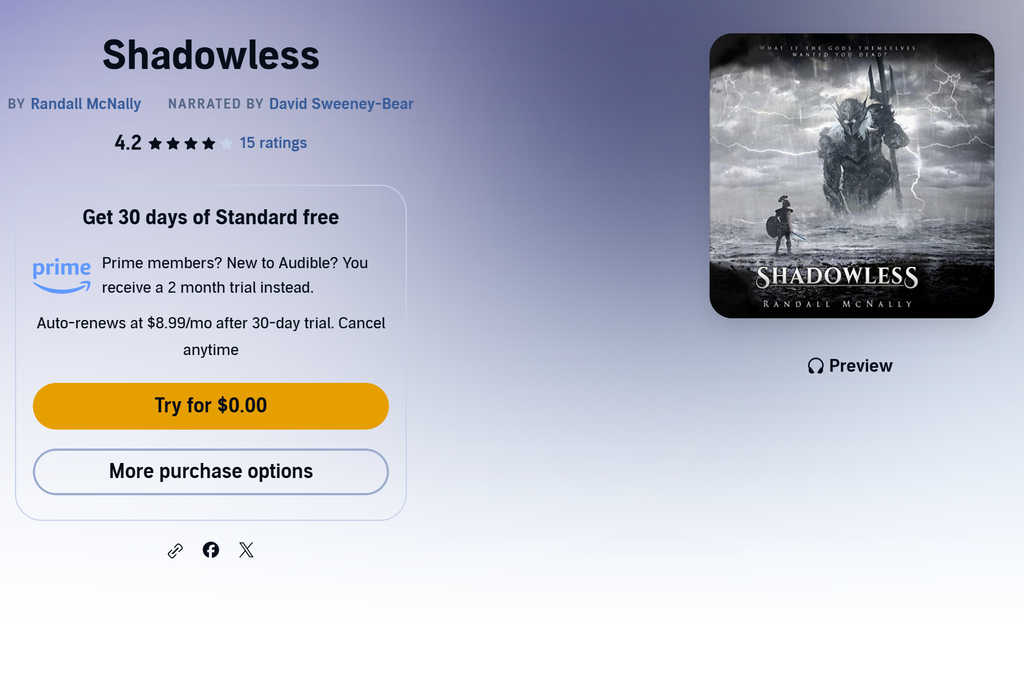
Let’s take my audiobook Shadowless as an example. Its clean US product address is:
https://www.audible.com/pd/Shadowless-Audiobook/B09VCRQ79K
Here is what each part does:
https://www.audible.comselects the US Audible marketplace./pd/tells Audible that this is a product-detail page.Shadowless-Audiobookis the human-readable title.B09VCRQ79Kis the ASIN: the unique identifier for this particular Audible listing.
The ASIN is the crucial part. Tracking codes and other material copied from your browser can usually be removed, but the ASIN identifies the actual product page.
Now we can add the first instruction:
?ipRedirectOverride=true
The question mark marks the beginning of the additional URL parameters. This parameter asks Audible not to replace the marketplace in the address with one selected from the visitor’s IP location.
Our link now looks like this:
https://www.audible.com/pd/Shadowless-Audiobook/B09VCRQ79K?ipRedirectOverride=true
Next, we add:
&overrideBaseCountry=true
The ampersand joins one parameter to the next. This second instruction reinforces that Audible should use the base country represented by the .com address.
That gives us:
https://www.audible.com/pd/Shadowless-Audiobook/B09VCRQ79K?ipRedirectOverride=true&overrideBaseCountry=true
Finally, we add:
&language=en_US
This explicitly requests the US-English version of the page rather than leaving Audible to infer a language from the visitor’s browser, cookies or location.
The completed link is:
https://www.audible.com/pd/Shadowless-Audiobook/B09VCRQ79K?ipRedirectOverride=true&overrideBaseCountry=true&language=en_US
In other words, its structure is:
[Audible marketplace]/pd/[title]/[ASIN]?[redirect override]&[country override]&[language]
These additions do not bypass geographic publishing rights, nor do they turn a US listing into its UK or Australian equivalent. They simply give Audible clearer instructions to open the specific marketplace and product page named in the link.
Building links for different Audible marketplaces
The same technique can be used to create direct links for different Audible marketplaces. The important point, however, is that changing the domain may not be enough.
For example, the US edition of Shadowless uses this ASIN:
B09VCRQ79K
Its safer US link is therefore:
https://www.audible.com/pd/Shadowless-Audiobook/B09VCRQ79K?ipRedirectOverride=true&overrideBaseCountry=true&language=en_US
The UK listing has a different ASIN:
B09VCRKCZR
Its corresponding UK link is:
https://www.audible.co.uk/pd/Shadowless-Audiobook/B09VCRKCZR?ipRedirectOverride=true&overrideBaseCountry=true&language=en_GB
It would be tempting simply to replace .com with .co.uk while retaining the US ASIN. Sometimes that appears to work, because certain titles share an identifier across marketplaces. It should not, however, be assumed.
Different regional editions can have:
- Different ASINs
- Different publishers
- Different release dates
- Different cover artwork
- Different ratings and reviews
- Availability in one marketplace but not another
To build a reliable regional link, search for the audiobook separately on each Audible marketplace, open the correct product page and copy the ASIN from that page’s address.
The principal English-language marketplaces include:
audible.com— United States and many other international customersaudible.co.uk— United Kingdom and Irelandaudible.com.au— Australia and New Zealandaudible.ca— Canada
Australia and New Zealand share the Australian Audible marketplace; there is no separate audible.co.nz store.
A safer Australian or New Zealand link would therefore follow this structure:
https://www.audible.com.au/pd/[TITLE]/[AU-ASIN]?ipRedirectOverride=true&overrideBaseCountry=true&language=en_AU
But do not construct it merely by inserting the US or UK ASIN. First confirm that an Australian listing exists and take the identifier from that particular page.
The procedure is therefore:
- Find the audiobook independently in each marketplace.
- Confirm that it is the correct narration and edition.
- Copy that marketplace’s product URL and ASIN.
- Remove expendable tracking information.
- Add the redirect, base-country and language parameters.
- Test the result while signed out or in a private browser.
At that point you have a set of dependable country-specific links—not one supposedly universal link that may behave differently according to who clicks it.
One link on your website, several possible destinations
Maintaining separate US, UK and Australian links solves one problem, but creates another: which one should you actually give to the visitor?
My own approach is to place the verified regional links behind the audiobook covers on my website. When somebody clicks a title, a small piece of browser-side code uses regional information available from their browser—such as its locale and time zone—to select the most likely Audible marketplace.
My current routing is deliberately simple:
- Visitors in the UK or Ireland are directed to
audible.co.uk. - Visitors in Australia or New Zealand are directed to
audible.com.au. - Visitors elsewhere are directed to
audible.com.
Each destination is a separately researched product listing with its own verified ASIN and redirect-resistant URL. The system does not merely take one US link and replace its domain.
You can see this working in the audiobook catalogue on my audiobook narration portfolio. The cover appears to have one ordinary link, but its destination is selected when the visitor follows it.
Browser-based territory detection is not infallible. Someone may have unusual language settings, be travelling, or use a VPN. It is therefore best regarded as a helpful first choice rather than indisputable knowledge of where the listener belongs. Where possible, visible links allowing visitors to choose another marketplace make a useful fallback.
The advantage is that I can share one permanent page on my own domain while retaining control over what happens next. If Audible changes a listing, an ASIN proves incorrect or a book appears in another marketplace, I can update the destination without changing links already shared in emails, posts or promotional material.
So, how do you link yours?
Audible’s marketplace system is more complicated than it first appears, and some of the parameters described here are useful working methods rather than a formally documented permanent-link standard. What works today may change, and a link that behaves perfectly in my browser in Ireland may produce a different result for someone elsewhere.
How do you link to your Audible titles? Do you use clean marketplace links, ACX bounty links, adbl.co, your own redirect system—or something I haven’t covered here?
If you try any of the examples above, let me know in the comments which country you are visiting from, which marketplace the link targeted, and where Audible actually sent you. Between us, perhaps we can build a clearer picture of what works.